
Generate PDFs from Google Sheets with Zapier | Re:port Flow
The Re:port Flow Zapier app is now published in the Zapier App Directory:
https://zapier.com/apps/reportflow/integrations
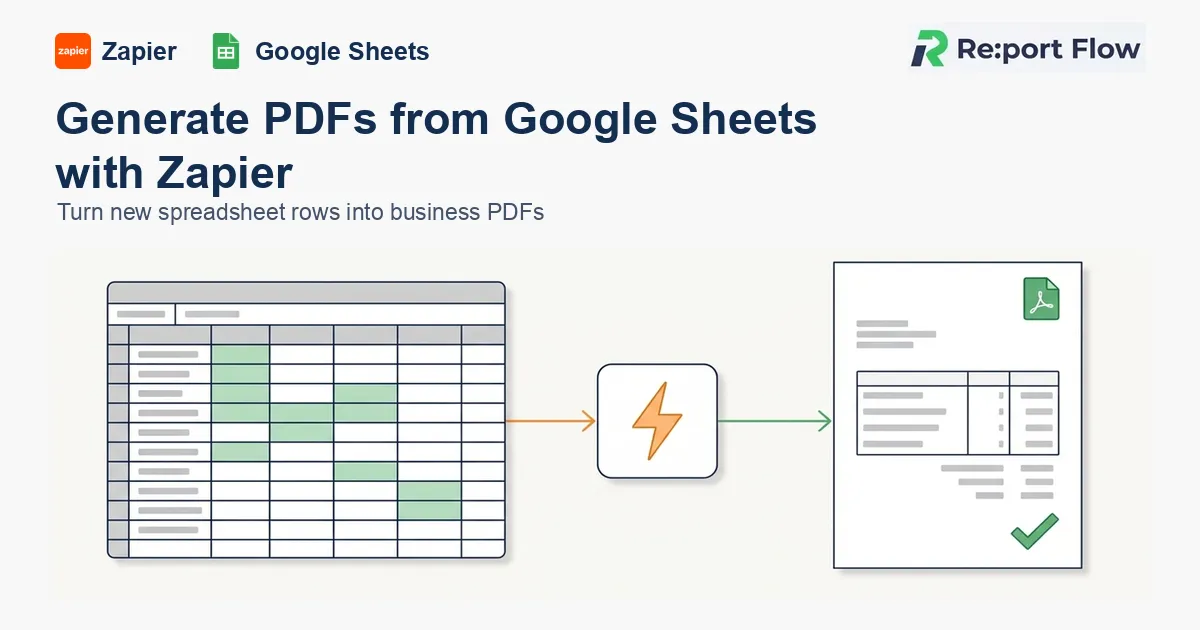
With it you can combine Re:port Flow with thousands of apps on Zapier to automate documents without code. For example: "When a row is added to a spreadsheet, generate an invoice PDF," or "When a form is submitted, create an application PDF."
We've also published a ready-to-use Zap template, "Create ReportFlow reports from new Google Sheets rows":
The basic structure:
- A Zapier trigger (a new Google Sheets row, a form submission) starts the Zap
- The Re:port Flow app merges the data into your document template
- Later actions distribute the PDF (send by email, save to Drive, and so on)
The last manual step in document work
Order data lives in Google Sheets, customer data in a CRM, billing in a SaaS tool. Most business data is already in the cloud.
Yet the final step, producing the formal PDF (an invoice, quote, delivery note or contract), often stays manual:
- Copying spreadsheet values into an Excel or Word template
- Logging in to a document tool each time and typing the values again
- Converting to PDF, naming the file and attaching it to an email by hand
The data is already online, but a person steps in when it becomes a document. That last mile is a common back-office bottleneck.
What the Re:port Flow Zapier integration does
Re:port Flow is a cloud service that renders PDFs by merging data into design templates. With the Zapier app, you can put Re:port Flow into any Zap (an automation flow).
The flow is:
- Add the Re:port Flow app in Zapier and connect your account (OAuth)
- Choose the trigger app and event (for example, a new Google Sheets row)
- In the Re:port Flow action, choose a document template (Design)
- Map the trigger's data to the template's parameters
- When the Zap runs, the PDF is generated automatically
Templates are designed freely on the Re:port Flow side, so invoices, quotes, delivery notes, contracts, application forms and reports can all use your own format as-is.
Published template: PDFs from new Google Sheets rows
The ready-made template "Create ReportFlow reports from new Google Sheets rows" sets up this automation right away:
- A new row is added to the Google Sheets spreadsheet you choose
- The row's values (customer name, amount, line items) are merged into your Re:port Flow template
- The PDF is generated automatically
For example, a salesperson only types the order into the spreadsheet and an invoice PDF is created automatically. There's no need to transcribe everything at month-end.
Use cases
Invoices and quotes from a spreadsheet
If you manage orders and billing in Google Sheets, a new row can trigger an invoice or quote PDF. It prevents transcription errors and missed documents.
Application forms and contracts from form submissions
A submission from a form tool such as Typeform or Tally can trigger an application or contract PDF with the answers merged in, so your first response to a customer is faster.
Generate and distribute in one flow
Add later Zapier actions and a single Zap can generate the PDF, email it, save it to Google Drive and notify Slack.
FAQ
Do I need programming to set up the Zapier connection?
No. Pick the trigger and action in Zapier and map the fields.
Which apps can I connect?
Anything Zapier supports. The trigger side is open: Google Sheets, form tools, CRMs, e-commerce platforms and more.
Can I use it for documents other than invoices?
Yes. Re:port Flow isn't invoice-only; you can build any document template, including quotes, delivery notes, contracts, applications and reports.
How does authentication work?
Your Re:port Flow account is connected with OAuth 2.0. Log in to Re:port Flow from the Zapier connection screen and approve access.
Summary
With the Zapier app, the place where your business data lives and PDF generation are now connected without code.
- Zapier App Directory: https://zapier.com/apps/reportflow/integrations
- Google Sheets template: https://zapier.com/apps/google-sheets/integrations/reportflow/255732537/create-reportflow-reports-from-new-google-sheets-rows
If your data is already in a spreadsheet or form but the document step is still manual, start with the published template.