
01
Every layout change
needs a developer
Design tweaks queue up behind your engineering team. Lead times grow, and document automation stalls.
Built in Japan for Japanese business documents. Call it from REST API or MCP.
Free plan available; paid from $7/mo (tax incl.).
Listed on the Anthropic MCP Directory
No credit card required · Free plan available · Sign up in 1 minute
Send JSON, get invoices and
reports automatically.
Pass data from your existing system over REST.
Async mode keeps bulk output stable.
01
Design tweaks queue up behind your engineering team. Lead times grow, and document automation stalls.
02
What you see in the editor isn't what comes out of the renderer. Every send needs a manual sanity check.
03
The original author is the only one who can update them. Hand-offs are painful and version drift is constant.
04
Recurring documents are still produced by hand. Volume scales, but headcount can't keep up.
AI design (paid plans)
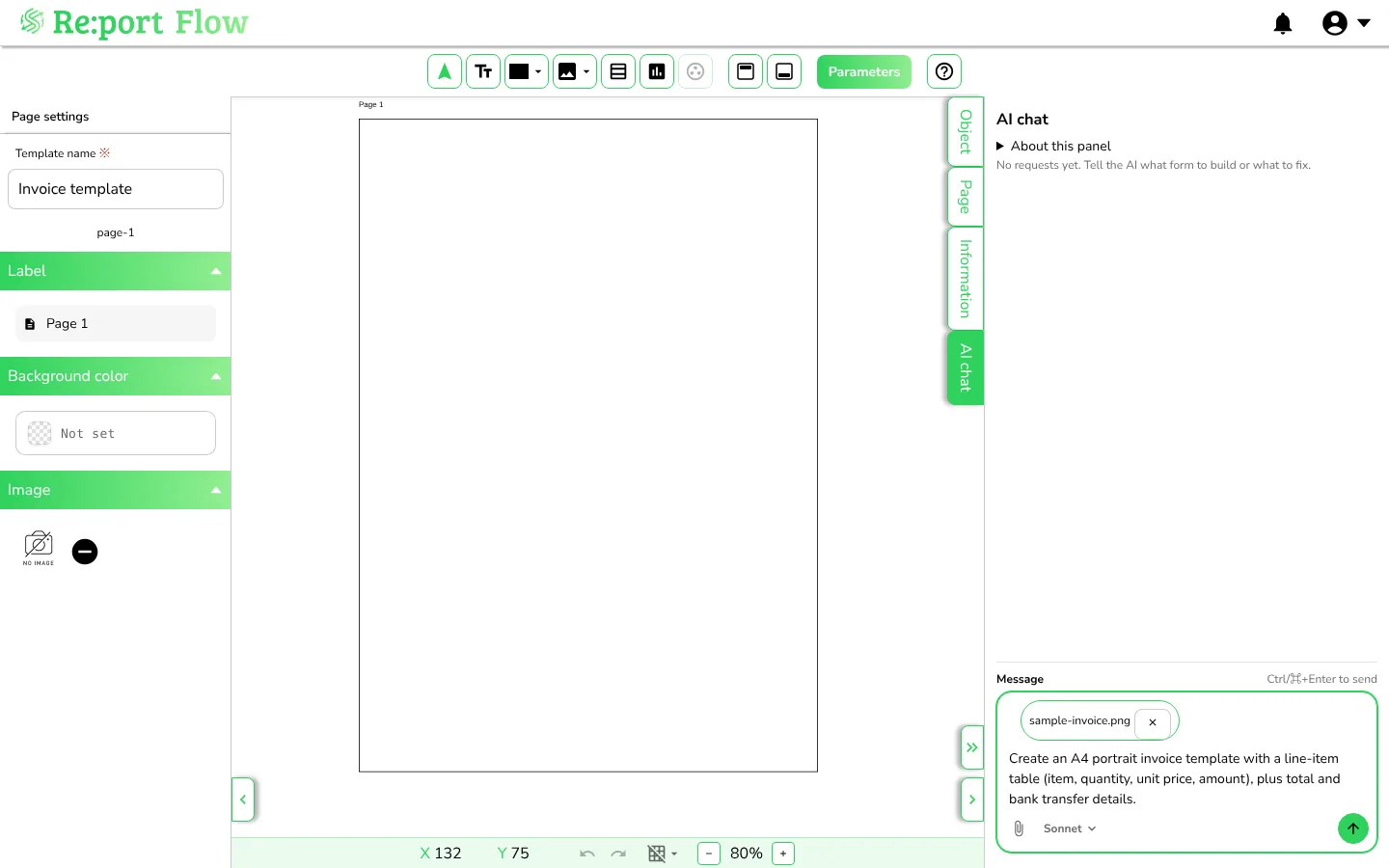
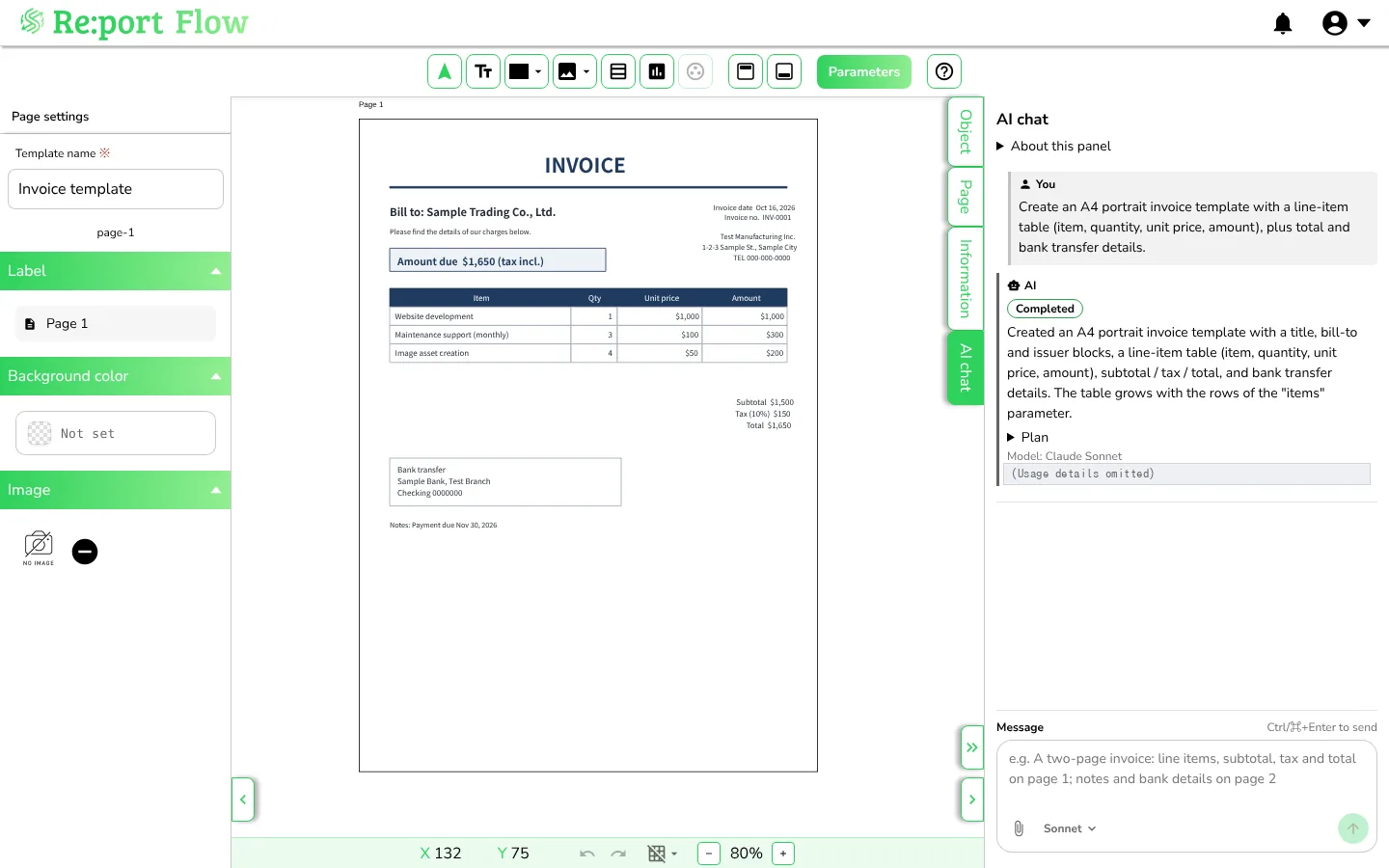
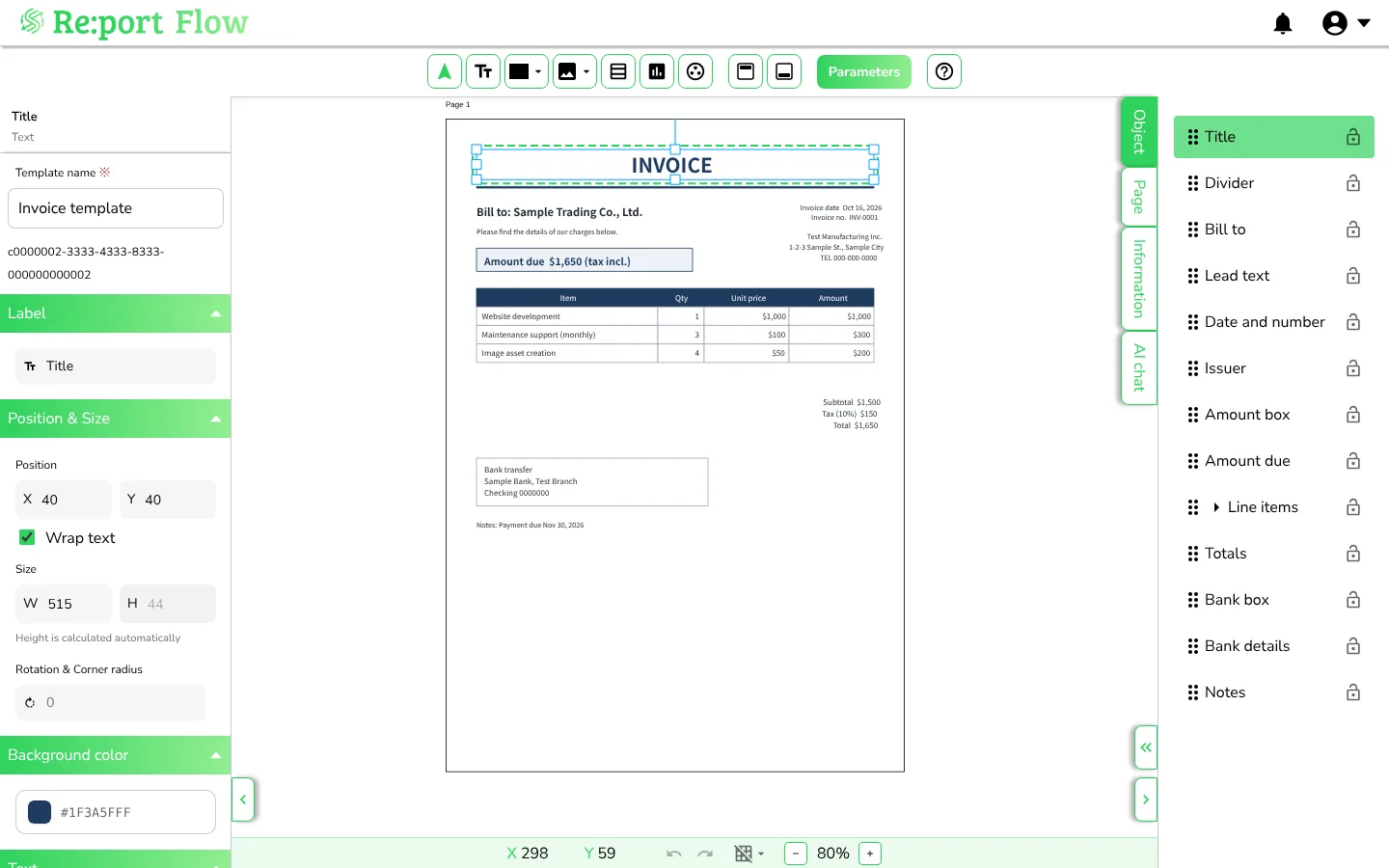
Ask the AI chat in the design editor, and the AI builds and edits document templates for you. The finished template opens in the same editor, ready to fine-tune.
This is a template-building feature, separate from the MCP integration (which generates PDFs from your existing templates in AI clients).
Just say what you need, such as "an invoice with a line-item table and totals". The AI builds the pages, parameters, formulas, and layout.
Attach a PDF, JPG or PNG form and the AI reads its fields to build the template, so you can start from the forms you already use.
Templates the AI builds are regular templates: adjust them with drag and drop and reuse them as often as you like, or ask the AI chat for more changes.
These are screens from the real editor. All company names and bank details are fictional samples, and the AI usage details are omitted.
AI chat is available on the paid plans. It is not available on the free plan.
See pricing"Get document output out of your line of sight." Why teams pick Re:port Flow — laid out as a choice, not a sales pitch.
| Criterion | Build it yourself | Heavyweight platform | Re:port Flow |
|---|---|---|---|
| Speed to ship | Weeks of build time | Steep learning curve | Live in a day |
| Japanese / CJK typesetting | Font embedding pain | Extra setup needed | Built in Japan; native line-break rules |
| Maintenance | Fight headless-Chrome memory leaks | Keep up with versions | None — fully managed |
| AI & workflow | Build it from scratch | Coverage varies | MCP (Claude, ChatGPT, Hugging Face), n8n, Make, Zapier built in |
| Pricing | Ongoing engineering cost | Tends to be expensive | Free tier; from $7/mo (tax incl.) |
FONTS
Typefaces you can use for text in your document templates.
Templates tuned for real business documents.
Use them as-is, or build your own.
NDAs and contracts — insert variables into clauses per counterparty
Try this templateSign up with email and password, then verify via the link in your confirmation email.
Choose from the gallery or build your own. Grab a key for API use.
Send JSON, fill a form, or ask in natural language. Out comes a PDF.
Generate your first PDF within a minute of signing up.
Try it free nowHow people can use it (representative personas — not real customers)
Automate ~30 invoices a month with a template plus form input — a way to cut month-start busywork to a minimum.
Ship a customer-facing document feature via the API instead of building an in-house PDF stack — a way to avoid custom infrastructure.
Generate NDAs and reports with variable injection across client DX projects, a way to help cut delivery time.
Base price (tax included)
Base price (tax included)
or $70/yr (2 months free)
Base price (tax included)
or $290/yr (2 months free)
Base price (tax included)
or $730/yr (2 months free)
PDF output limits, free pages and overage are all counted in pages.
Prices are shown in US dollars (USD) for reference only. Plans are priced in Japanese Yen (JPY), tax included. At checkout, Stripe converts the JPY price and presents and charges the amount in your local currency; the final currency and amount are the ones confirmed at checkout. Stripe sets the exchange rate and it includes a conversion fee, so the amount may be higher than the USD price shown or a conversion at market exchange rates.
AI credits: PERSONAL includes 250, STANDARD 1,000 and PREMIUM 3,000 credits per month (features that use AI credits are not available on FREE). Beyond that on STANDARD and PREMIUM, each credit is ¥3.3 incl. tax (¥3 excl. tax), up to the spend cap set for the workspace. PERSONAL has no overage: AI stops once its included credits are used. On STANDARD and PREMIUM, overage is available on both monthly and annual plans. If you check out from outside Japan, overage may also be converted into your local currency at the rate in effect when you are billed.
Why we built it
Document output is the "last mile" that gets pushed to the end of every project. Yet in practice it's where things stall — development halts on every design tweak, headless browsers leak memory, and layouts break on Japanese text.
"Can we remove this friction at the root?" Re:port Flow grew out of seeing the same bottleneck over and over across software and DX projects.
Get document output out of your line of sight.
Send JSON, get a PDF. A tool that aims to be exactly that — nothing more, nothing less.
Invoices, reports, delivery slips, application forms — any fixed-layout document where you need to merge structured data into a PDF.
Yes. Send data over HTTPS from any system or SaaS, and Re:port Flow renders a PDF using your saved template. Both sync and async modes are supported.
Up to 30 PDF pages per month, 1 template, and 1 user — with no credit card required. Full API access is included so you can prototype an integration end-to-end before paying anything.
Yes. An official n8n community node (n8n-nodes-reportflow) is available — install it from Settings → Community Nodes — plus official apps for Zapier and Make. You can wire Re:port Flow into existing SaaS workflows without writing code.
Yes. We ship an official MCP (Model Context Protocol) server, reportflow-mcp. Register it in Claude Desktop / Claude Code / ChatGPT / Cursor / VS Code, and you can ask in natural language — e.g. "Generate an invoice for Acme totalling ¥33,000" — to produce a PDF. Authentication is OAuth-based, so no API keys to manage on the client. In ChatGPT, available features may differ depending on your ChatGPT plan.
Yes, from the AI chat panel in the design editor. Describe the document you need, or attach an existing form as a PDF, JPG, or PNG, and the AI builds the pages, parameters, formulas, and layout, rendering and checking the result as it goes. Changes are applied directly to the template. AI chat is available on the paid plans. It is not available on the free plan.
All plans are denominated and settled in Japanese Yen (JPY), tax included; the USD prices on this page are for reference only, and the currency you are charged in may differ. Annual billing is available on PERSONAL, STANDARD and PREMIUM at a 2-month discount. If you check out from outside Japan, Stripe may present and charge the amount in your local currency; the final currency and amount are the ones confirmed at checkout. Stripe's rate includes a conversion fee, so the amount may be higher than a conversion at market exchange rates. AI credits: PERSONAL includes 250, STANDARD 1,000 and PREMIUM 3,000 credits per month (features that use AI credits are not available on FREE). Beyond that on STANDARD and PREMIUM, each credit is ¥3.3 incl. tax (¥3 excl. tax), up to the spend cap set for the workspace. PERSONAL has no overage: AI stops once its included credits are used. On STANDARD and PREMIUM, overage is available on both monthly and annual plans. If you check out from outside Japan, overage may also be converted into your local currency at the rate in effect when you are billed.
Yes. The free plan includes full API access. You can generate up to 30 PDF pages per month at no cost — enough to validate an integration end-to-end.